

Let’s be honest: your GitHub profile is essentially your digital business card, your living resume, and your secret weapon all rolled into one. If you are applying for roles in technology or innovation, a recruiter is almost certainly going to click that link in your header. What they find there can be the difference between a phone screen and a polite rejection email. Most developers treat their GitHub like a messy attic where they toss half finished ideas and experimental code. If you want to stand out, you need to treat it like a curated gallery. Here is how you turn those dusty repositories into a professional portfolio that screams hire me.
The Power of the First Impression
Imagine a recruiter landing on your profile. They have exactly thirty seconds to decide if you know your stuff. If they see a wall of generic repository names like project-1 or test-app-final-v2, they are already losing interest. They are looking for signs of professional hygiene: clear naming conventions, organized structures, and evidence that you actually care about the people who read your code. This is where innovation meets presentation. You are not just a coder: you are a communicator who happens to speak in Python or JavaScript.

The Secret Weapon: Your Profile README
A few years ago, GitHub introduced a feature that changed the game: the profile README. If you create a public repository with the exact same name as your username, whatever you put in that README will appear at the very top of your profile page. This is your landing page. Instead of just a list of random commits, you can introduce yourself, share your tech stack with pretty icons, and link to your best work. Use this space to tell a story. Why do you code? What problems are you solving? Adding a personal touch makes you a human being rather than just another name in a database.
The Anatomy of a Perfect README
Every single repository you pin to your profile needs a stellar README. A repository without a README is like a book without a cover. Recruiters often do not have the time to dig through your source code to figure out what a project does. You have to tell them. A high quality README should include a clear title, a brief description of the problem the project solves, a list of technologies used, and most importantly, instructions on how to run it. If you want to go the extra mile, include a link to a live demo or a GIF of the app in action.
If you are looking for a great template to follow, websites like Make a README provide excellent starting points. Remember, your goal is to make it as easy as possible for someone else to understand your vision. Use headers to break up the text and bullet points to list features. Avoid huge walls of text: recruiters are skimmers by nature. If you can explain your complex algorithm in three simple bullet points, you have already won half the battle.
Cleanliness is Next to Employability
Let’s talk about the skeletons in your closet: your commit history. We have all been there, pushing a quick fix with a commit message like fixed bug or final version I promise. While this might fly on a personal project you never show anyone, it looks terrible to a potential employer. Professionalism in technology means following best practices. Use the imperative mood in your commit messages, such as Add user authentication logic instead of Added some stuff. It shows that you understand how to work in a team environment where clear communication is mandatory.
Folder Structure and File Naming
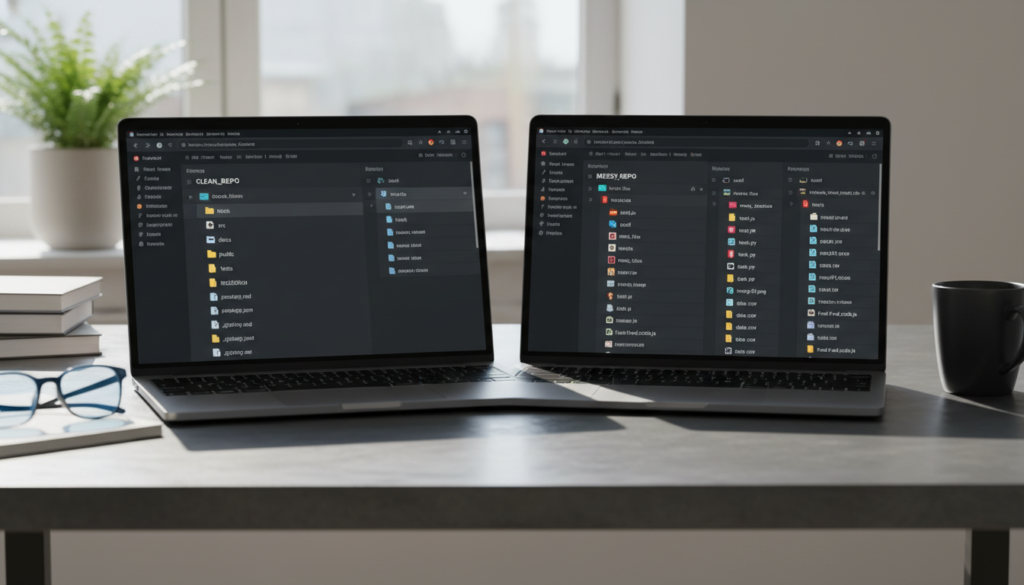
Nothing says amateur faster than a repository that is just a flat pile of twenty files. Organize your code. Use a src folder for your logic, a public or assets folder for your images and styles, and a tests folder for your test suites. A recruiter might not read every line of your code, but they will certainly notice if your file structure is logical and follows industry standards. It demonstrates that you are ready to jump into a professional codebase without needing a month of training on how to stay organized.
The Art of the Pin
GitHub allows you to pin up to six repositories to the top of your profile. Use this feature strategically. Do not just pin your most recent projects: pin the ones that show the breadth of your skills. If you are a full stack developer, pin a front end project, a back end API, and maybe a utility library you wrote. This shows versatility. If you are looking for more deep dives into how to curate your professional tech presence, you can find more resources at Beemytech, where we cover the intersection of career growth and modern innovation.
The Green Square Myth
Everyone obsesses over their contribution graph. While a sea of green squares looks impressive, most recruiters know that these can be easily faked or might just represent minor tweaks to a personal blog. Quality always beats quantity. Instead of trying to commit every single day, focus on meaningful contributions. Are you contributing to open source? That is a massive green flag. It shows you can work with other people’s code, follow contribution guidelines, and handle peer reviews. Even small fixes to popular libraries can significantly boost your credibility in the eyes of a tech lead.

Final Polish: Licenses and Documentation
One of the most overlooked secrets of a recruiter ready profile is the presence of a LICENSE file. It sounds boring, but adding an MIT or Apache license shows that you understand the legal and professional aspects of software development. It tells the world that you know how the industry works. Furthermore, if your project is large enough, consider using GitHub Pages to host documentation or a live version of the site. It shows that you can take a project from a local development environment all the way to a production ready state.
The Power of Consistency
Finally, keep your profile updated. Technology moves fast, and an innovation you were proud of three years ago might be outdated today. Spend an hour once a month auditing your profile. Delete the forks of projects you never actually contributed to. Update your bio to reflect your current interests. Ensure your contact information is correct. A stagnant profile tells a recruiter you might be losing interest in your craft: a dynamic, evolving profile tells them you are a lifelong learner who is ready for the next big challenge.
Conclusion
Making your GitHub profile recruiter ready is not about being the best coder in the world: it is about being the most professional version of yourself. By focusing on clear READMEs, organized repository structures, and a polished personal brand, you set yourself apart from the thousands of other developers vying for the same roles. Your GitHub is a story of your growth, your curiosity, and your technical skills. Make sure it is a story worth reading. Now, go take a look at your profile through the eyes of a stranger. Would you hire you? If the answer is not a resounding yes, you have some work to do.


