

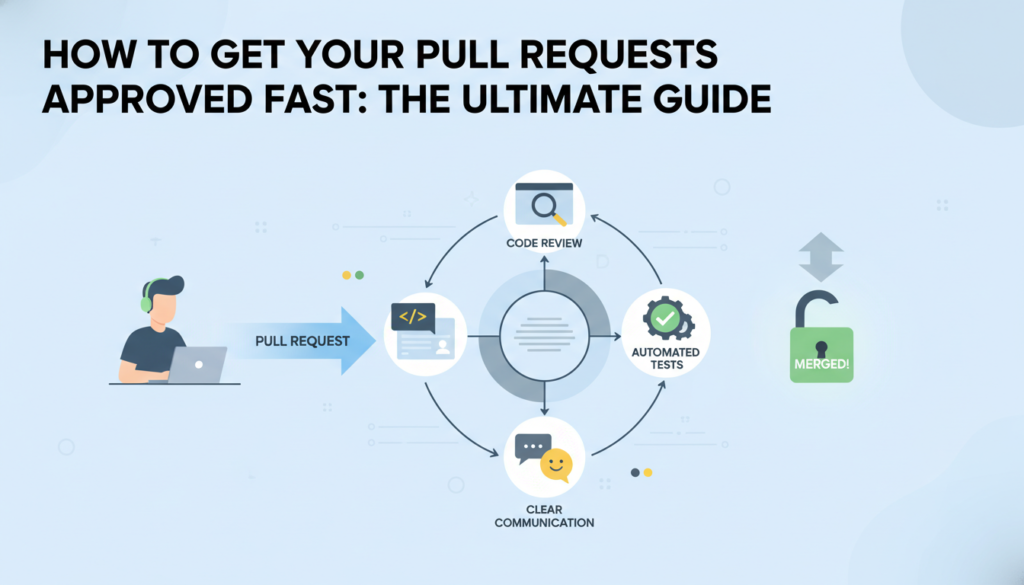
The Secret to Getting Your Code Approved Without the Drama
Imagine this: You have spent all weekend caffeinating and coding the coolest feature for your side project or your first internship. You hit that submit button on GitHub, feeling like a total rockstar. Then, you wait. And wait. Three days later, a senior developer leaves 50 comments on your Pull Request (PR), and half of them are just about formatting. It feels like a gut punch, right? We have all been there. If you want to level up from being a coder to being a professional engineer, you need to master the art of the clean PR. It is the difference between getting a quick LGTM (Looks Good To Me) and having your code sit in limbo for weeks. Whether you are 13 or 19, learning this now will put you years ahead of your peers. For those looking to dive deeper into the world of development, you can always Learn More at our home base.
What Exactly Is a Pull Request?
Before we dive into the pro tips, let us define the vibe. A Pull Request is basically you saying to the rest of your team, Hey, I have made these changes. Can you check them out and pull them into the main project? It is not just a technical step; it is a conversation. Think of it like turning in an essay to a teacher. If the essay is covered in coffee stains and written in messy handwriting, the teacher is already annoyed before they even read the first sentence. A clean PR makes the reviewer happy, and a happy reviewer approves code faster.
Rule Number One: One PR, One Mission
The biggest mistake young developers make is the Mega PR. This is when you decide to fix a bug in the login screen, change the background color of the footer, and refactor the entire database logic all in one go. To a reviewer, this is a nightmare. It is hard to track what actually changed and why. If you break something, it is nearly impossible to figure out which part of your massive code dump caused the issue.
Instead, follow the rule of Atomic PRs. Each PR should do exactly one thing. If you find a tiny typo while working on a big feature, do not fix it in the same PR. Open a separate, tiny PR for the fix. This keeps the history of the project clean and makes it much easier for your team to understand your thought process. It is like a surgical strike instead of a carpet bomb.
The Power of a Great Title
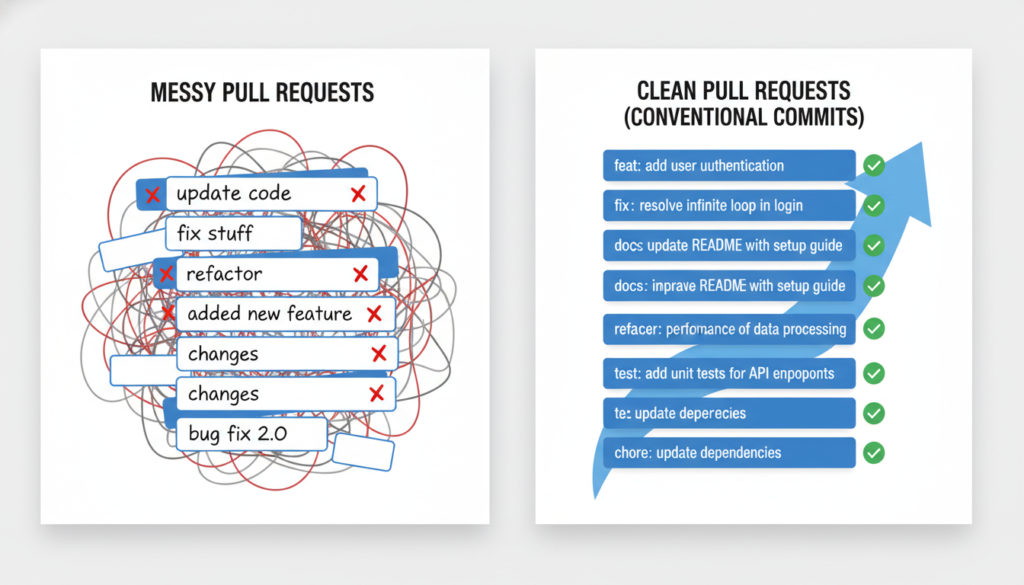
Most people name their PRs something boring like Update script.js or Fix bug. That tells the reviewer absolutely nothing. A great title follows a pattern. Many professional teams use the Conventional Commits style. For example: feat: add dark mode toggle or fix: resolve crash on mobile login. This instantly tells the reviewer what to expect. It shows that you are organized and that you respect their time. If you want to see how the pros do it, check out the documentation on GitHub Code Review tools.
Write for Humans, Not Just Compilers
The description box in a PR is not just for show. It is your chance to explain why you did what you did. The code tells the computer how, but the PR description tells the human why. A legendary PR description usually includes three things: The Problem, The Solution, and The Testing. You should explain the bug you found, how your code fixes it, and the steps you took to make sure it actually works. If you changed something visual, like a UI component, always include a screenshot or a screen recording. A picture is worth a thousand lines of code. It saves the reviewer from having to download your branch and run it just to see what a button looks like.
The Self-Review: Your Secret Weapon
Here is a pro-tip that will save you from 90 percent of embarrassing mistakes: review your own PR before anyone else does. After you push your code, open the Files Changed tab on GitHub and read through every single line. You will be shocked at how many console.log statements, commented-out code, or silly typos you catch. By cleaning these up yourself, you show the senior devs that you have a high standard for your own work. It builds trust, and trust leads to faster approvals.
Automate the Boring Stuff
If your team spends time arguing about whether to use tabs or spaces, or where to put curly braces, you are wasting time. This is where tools like Prettier and ESLint come in. These are called linters and formatters. They automatically fix your code style so it looks exactly like everyone else’s. If you set these up in your editor (like VS Code), your PRs will always be perfectly formatted. This allows the reviewer to focus on the logic of your code rather than the grammar. No one likes a grammar nazi in their code reviews, so do not give them anything to complain about!
How to Handle Feedback Without Crying
Getting feedback can be tough. When you have spent hours on a project, seeing a comment that says This could be more efficient can feel like a personal attack. But here is the truth: code reviews are not about you; they are about the code. Even the best developers in the world get notes on their PRs. When you get a comment, do not get defensive. If you disagree with a suggestion, explain your reasoning calmly. If the reviewer is right, thank them and make the change. This shows that you are a team player and that you are eager to learn. This attitude is exactly what top tech companies look for when they hire young talent.

The Final Checklist
Before you hit that final button, run through this quick mental checklist: Does my PR have a clear title? Did I include a description and screenshots? Did I remove all my test logs and debuggers? Did I run the code one last time? If the answer is yes, you are ready to go. Remember, the goal of a PR is to make the reviewer’s life as easy as possible. The easier you make it for them to say Yes, the faster your code gets merged into the master branch.
Mastering the clean PR is a superpower. It makes you a more valuable developer and helps you learn from others faster. So, next time you are working on a project, treat your PR like a piece of art. Your future self (and your teammates) will thank you. For more tips on leveling up your tech game, stay tuned to Beemytech where we break down complex dev topics into simple, actionable advice.


