


Let us be honest for a moment. Nobody wakes up in the morning, stretches their arms, and thinks, “Boy, I cannot wait to type out a bunch of opening and closing angle brackets today.” If that sounds like you, you might be a browser engine rather than a human being. For the rest of us, documentation is a necessary evil. It is the vegetable serving on the plate of software development. You know you need it to stay healthy, but you would much rather be eating the steak (coding).
When you sit down to write that documentation, you are immediately faced with a choice. Do you go with the structural heavyweight champion of the world, HTML? Or do you opt for the scrappy, lightweight contender, Markdown? This is not just a question of file extensions. It is a question of philosophy, efficiency, and how much you value your sanity.
At https://beemytech.com/, we see this debate tear teams apart faster than a tabs-versus-spaces argument. Okay, maybe not that fast, but it is close. Today, we are going to dissect these two formats to help ambitious professionals like you decide which one deserves your keystrokes.
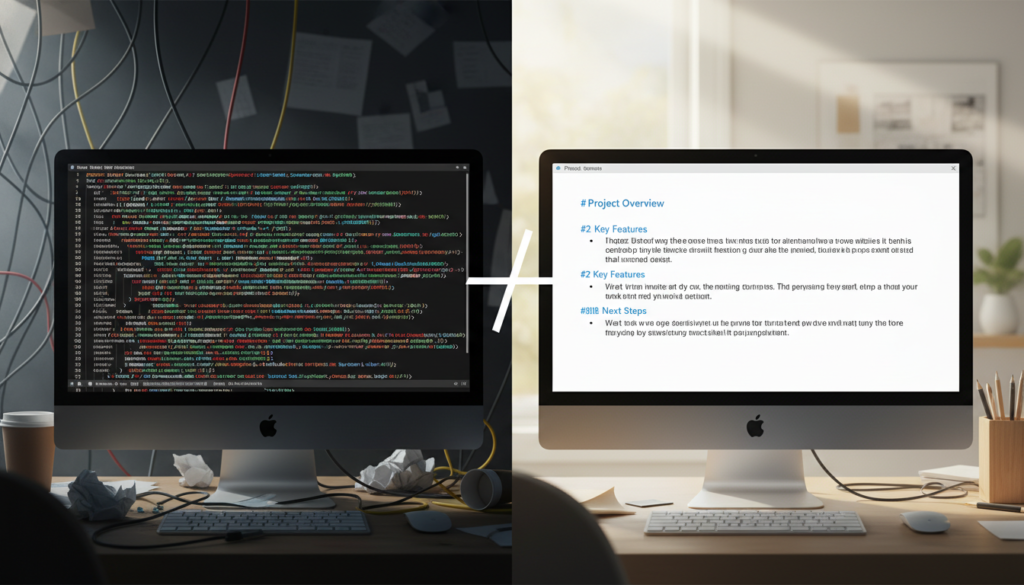
The Case for Markdown: speed is King
If HTML is a precise architectural blueprint, Markdown is a napkin sketch that somehow magically turns into a building. Created by John Gruber in 2004, Markdown was designed to be written as easily as plain text email. Its superpower is readability.
When you are documenting code, APIs, or internal processes, friction is the enemy. The more resistance you feel when starting a document, the less likely you are to write it. Markdown removes almost all friction. You do not need a special editor. You do not need to worry about closing tags. You just type.
Why professionals love it
1. It is human-readable raw.
Open a raw Markdown file. You can read it. It makes sense. Headings look like headings because of the hashtags. Lists look like lists. Now, open a raw HTML file. It looks like a computer exploded. For rapid-fire documentation where the content matters more than the styling, Markdown is undefeated.
2. It is portable.
Markdown is platform-agnostic. You can write it in Notion, move it to Obsidian, and finally publish it on GitHub. It travels well. If you are looking for tech solutions that scale with your career, checking out the resources at https://beemytech.com/ is a smart move, and using portable formats like Markdown is step one in that journey.
3. The ecosystem is massive.
Tools like Docusaurus and MkDocs allow you to build beautiful, static documentation sites entirely from Markdown files. You get the speed of writing plain text with the visual output of a web page.
The downside?
Markdown is limited. Intentionally so. If you want to center an image, change the color of a specific word, or create a complex grid layout, Markdown will look at you with a blank stare. It simply cannot do it alone.
The Case for HTML: The Control Freak’s Dream
HTML (HyperText Markup Language) is the backbone of the web. It is not going anywhere. While Markdown is a shorthand, HTML is the full language. It gives you granular control over every single pixel and element on the page.
If Markdown is a bicycle, HTML is a fighter jet cockpit. You have a thousand switches and dials. You can fly faster and higher, but you also have a much higher chance of crashing if you do not know what you are doing.
When HTML wins
1. Semantic precision.
Markdown assumes a lot. HTML defines it. If you need to specify that a section is an <article> or a <nav> element for accessibility tools, you need HTML. Screen readers rely on these semantic tags to help visually impaired users navigate your docs.
2. Complex styling and interactivity.
Do you need a button that triggers a JavaScript alert? Do you need a table with merged cells and specific background colors? Markdown tables are notoriously painful to manage. HTML tables, while verbose, allow for infinite customization.
3. No compilation step needed.
Browsers understand HTML natively. They do not understand Markdown until it is parsed and converted into HTML. If you are building something that needs to run without a build process, HTML is your only option.

The Hybrid Approach: The Smart Move
Here is the secret that most senior developers know. You rarely have to choose just one. Most modern Markdown processors support inline HTML.
This means you can write 95% of your documentation in Markdown to keep your speed up. Then, when you hit that one specific spot where you need a complex table or a centered video embed, you just drop in a raw HTML tag.
For example, you might write your paragraphs and lists in Markdown, but use an HTML <div> with a specific class to create a warning box. This gives you the best of both worlds. You maintain the velocity of a startup and the precision of an enterprise.
Tools that bridge the gap
If you want to see this hybrid power in action, look at Jekyll or Hugo. These static site generators take your Markdown files, allow you to sprinkle in HTML (and templating logic), and spit out a fully functional website.
At https://beemytech.com/, we are big fans of efficiency. Using a hybrid workflow prevents you from getting bogged down in syntax while ensuring you never hit a wall where you cannot implement a design requirement.
Decision Time: Which one is for you?
Let us break this down into a simple decision matrix. You are an ambitious professional, and your time is expensive.
Use Markdown if:
1. You are writing internal wiki pages, README files, or knowledge base articles.
2. The content changes frequently and needs to be updated by non-technical team members.
3. You want to focus on the words, not the presentation.
4. You use a tool like Cursor or VS Code where Markdown previews are instant.
Use HTML if:
1. You are building a landing page or a highly interactive user guide.
2. You need strict control over accessibility attributes.
3. You are publishing directly to a platform that does not support a Markdown parser.
4. You enjoy typing angle brackets until your pinky finger falls off.
The Verdict
Documentation is only useful if it actually gets written. For that reason alone, Markdown usually wins the day for general documentation purposes. The barrier to entry is so low that you have no excuse not to document that API endpoint or that server setup process.
However, never forget that Markdown is just a wrapper. Under the hood, it all becomes HTML eventually. Understanding how HTML works allows you to debug your Markdown when it acts weird (and it will act weird).
So, grab a tool like Obsidian, start writing in Markdown, and do not be afraid to sprinkle in some HTML tags when you need to get fancy. Your future self will thank you for the documentation, regardless of the format. And if you need more insights on navigating the tech landscape, you know where to find us: https://beemytech.com/ is always open.


