


Look, I have a confession to make. When I was fifteen, I nearly failed Algebra II. I remember sitting in the back of the classroom, staring at the whiteboard where the teacher was drawing lines that looked suspiciously like spaghetti, and thinking, “Well, there goes my dream of making video games.” I was convinced that because I couldn’t calculate the trajectory of a parabola without sweating, I had no business touching a computer keyboard.
Fast forward twenty-five years. I have built comprehensive web applications, managed databases, and ranked websites at the top of Google. And guess what? I have not used a single calculus formula since high school. Not one.
There is a massive gatekeeping myth in the tech world that suggests you need to be the next Einstein to write code. Today, I am going to shatter that myth. If you can write a grocery list or give a friend directions to your house, you have all the cognitive tools you need to become a programmer. Let’s break down why logic beats math every single time.
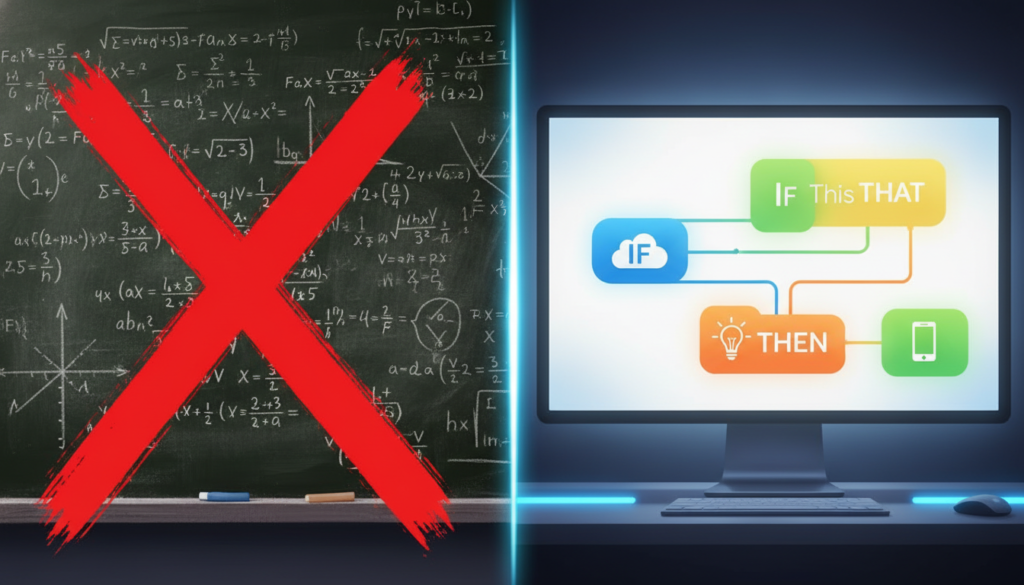
Coding is About Recipes, Not Equations
When people hear “computer science,” they fixate on the word “science” and assume it involves lab coats and chalkboards. In reality, coding is much closer to cooking or creative writing. It is about instruction.
Think about it this way. If you were telling a robot how to make a peanut butter and jelly sandwich, you wouldn’t give it a mathematical formula. You would give it a list of steps:
1. Open the bread bag.
2. Take out two slices.
3. Unscrew the peanut butter jar.
4. If the jar is empty, scream into the void (or buy more).
That step number four? That is what we call an “If/Else” statement in programming. It is pure logic. It is decision-making. It has absolutely nothing to do with long division. When you write code, you are simply translating human instructions into a language the computer understands.
For those of you looking to get your setup ready for this journey, you might want to check out some of the beginner hardware guides over at https://beemytech.com/ where we discuss the best laptops for students who want to focus on development rather than raw calculation power.
The “Math” is Hidden in the Tools
“But wait,” you say, “what about video games? Don’t those require physics?”
Yes, video games require physics. Gravity is math. Lighting is math. But here is the secret: You don’t have to write the math yourself.
In the modern world of software development, we stand on the shoulders of giants. Brilliant mathematicians have already written the code that calculates gravity, light reflection, and collision detection. They packaged that code into tools called “Game Engines” and “Libraries.”
For example, if you want to build a game, you might use Unity or Unreal Engine. These engines have a box you can check that says “Enable Gravity.” When you check that box, the engine handles the calculus. You just focus on the fun stuff, like designing the level or writing the story.
We talk about these kinds of time-saving tools constantly on https://beemytech.com/ because the smartest developers aren’t the ones doing the hardest math; they are the ones using the best tools.
Front-End Development: The Art Class of Coding
If you are really allergic to numbers, let me introduce you to your new best friend: Front-End Web Development. This is the visual side of coding. It involves HTML (structure), CSS (style), and JavaScript (interaction).
CSS is basically interior design for the internet. You aren’t solving for X; you are deciding if a button looks better in “CornflowerBlue” or “Tomato” red. You are defining margins, picking fonts, and arranging layouts. It requires a good eye for aesthetics, not a calculator.
If you want to see what this looks like in practice, check out the MDN Web Docs. It is the bible of web development. You will notice that their tutorials are full of words and colors, not equations.
The Logic Puzzles You Will Actually Solve
So if we aren’t doing math, what are we doing? We are solving logic puzzles.
Here is a real-world coding problem:
“I have a list of 100 users, and I want to show only the ones who live in New York.”
To solve this, you write a “loop.” You tell the computer to look at each user, check their city, and if it matches “New York,” keep them. If not, ignore them. This is sorting. It is organization. It is the same part of your brain you use when you organize your Spotify playlists or decide what to wear based on the weather.
If you enjoy games like Sudoku, Portal, or even Among Us (where you have to deduce who the imposter is based on behavior), you have the exact mindset needed for debugging code.

Where to Start (Without a Calculator)
If you are between 10 and 20 years old, you are in the golden age of learning. You don’t need to start with a complex language like C++. Start with high-level languages that read like English.
1. Python
Python is incredible. It is used by Netflix, Instagram, and Google. The syntax is so clean that it almost looks like pseudocode.
Example: `print(“Hello World”)` prints text to the screen. No semi-colons, no complex brackets. Just instructions.
2. JavaScript
If you want to make websites interactive, JavaScript is the king. It runs in every web browser. You can write a few lines of code and make a box bounce around your screen instantly.
3. Scratch
If you are on the younger side or just want to understand the *concepts* of logic without typing, Scratch from MIT is legendary. It uses colorful blocks that snap together. You can’t make a syntax error because the pieces won’t fit if the logic is wrong.
The AI Revolution Helps Non-Math Coders
We are living in a time where AI coding assistants can handle the boring stuff for us. Tools like Cursor or GitHub Copilot act as a pair programmer.
If you ever do run into a situation where you need a complex algorithm, you can literally ask the AI: “Write me a function that sorts this list by date.” The AI writes the “mathy” part, and you just implement it.
For more advanced guides on integrating AI into your workflow, we have a deep dive over at https://beemytech.com/ that explains how to set up your environment for maximum efficiency.
Don’t Let the Gatekeepers Win
There is a certain type of person on the internet who will tell you that you aren’t a “real” programmer unless you write in binary and understand linear algebra. Ignore them. They are usually just grumpy because they had to learn it the hard way.
The goal of technology is to make life easier. The goal of coding is to build things that are useful or entertaining. If you can build a website that helps people, or a game that makes your friends laugh, you are a programmer. Period.
So, close the calculus textbook. Open up a code editor like VS Code. Start typing. You might break things, but you won’t be graded on it. And if you need recommendations on the best keyboards to type on or monitors to stare at while you create your masterpiece, remember to visit https://beemytech.com/ for our latest tech recommendations.
Math is great, but logic is king. Go build something awesome.


