


Imagine you are playing your favorite RPG. You have spent three hours grinding levels, you finally found that legendary sword, and you have exactly 5,400 gold coins. You walk into a shop to buy a potion, and suddenly, the game forgets everything. Your gold is gone. Your sword is gone. Your level is back to zero. You would probably throw your controller at the wall.
That creates a pretty vivid picture of why variables are important. Without variables, computer programs have the memory span of a goldfish. They can calculate things, sure, but they cannot remember the result for more than a split second. To build anything cool, from a calculator to Fortnite, your code needs a way to store information and find it later.
If you are just starting your journey into the digital world, I highly recommend checking out the beginner resources over at Beemy Tech to get your setup ready. But for now, let’s dig into the messy, chaotic, and beautiful world of variables.
The “Tupperware” Theory of Coding
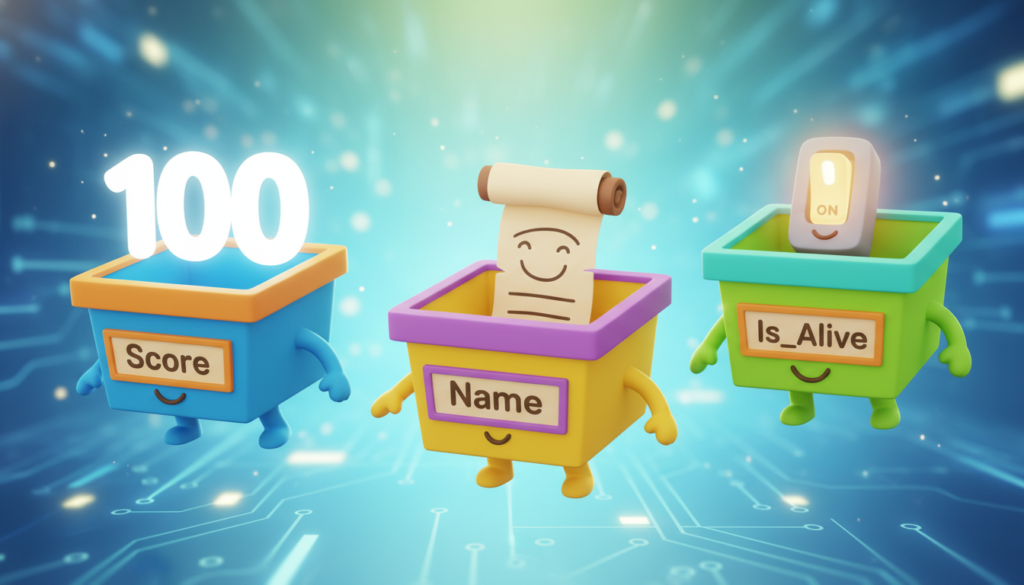
At its core, a variable is just a box. That is it. It is a container in your computer’s memory where you stash a piece of data so you can use it later. You slap a label on the box (that is the variable name) so you can find it in the pantry later.
Let’s say you are writing a script in Python. You want to track the player’s score.
score = 0Here, score is the label on the Tupperware container, and 0 is the leftover lasagna inside it. Later, when the player squashes a goomba, you open the box, take out the zero, add 100 to it, and put the new number back in.
score = score + 100If we didn’t have that container labelled “score,” the computer would calculate 0 + 100, realize the answer is 100, and then immediately dump it into the digital void, never to be seen again.
Data Types: You Can’t Put Soup in a Shoe Box
This is where things get sticky. Not all data is the same. You have numbers, text, true/false statements, and weird lists of things. In the physical world, you wouldn’t pour hot tomato soup into a cardboard shoe box. It would make a mess.
In programming, we call these categories Data Types. Depending on the language you are using, the computer might be very strict about what kind of data goes into what kind of variable. If you want to dive deeper into specific languages that handle this differently, Beemy Tech has some great deep dives on selecting your first language.
Here are the “Big Four” types you will see everywhere, from JavaScript to C++.
1. Integers (The Whole Numbers)
An integer (or int) is a whole number. No decimals. No fractions. Just nice, clean numbers.
Examples: 5, -10, 42, 9000.
Used for: Counting lives, tracking inventory slots, or calculating levels.
2. Floats (The Decimal Stuff)
Also known as “Floating Point Numbers.” These are numbers that need precision. If you are calculating money, physics, or percentages, you are likely using a float.
Examples: 3.14, 19.99, 0.001.
Used for: Player health percentages, currency prices, or character movement speed.
3. Strings (The Text)
A string is just a fancy word for text. It is a “string” of characters tied together. In almost every language, you tell the computer something is a string by wrapping it in quote marks.
Examples: “Hello World”, “Game Over”, “xX_NoobSlayer_Xx”.
Used for: Dialog, usernames, and displaying messages on the screen.
4. Booleans (The On/Off Switch)
This is my favorite type because it is so simple. A boolean can only be one of two things: True or False. That is it. It is a light switch.
Examples: True, False.
Used for: checking if the game is paused (isPaused = True), or if the player is alive (isAlive = False).
Static vs. Dynamic: The Strict Teacher vs. The Chill Teacher
Now, how you use these variables changes depending on the programming language. We generally split languages into two camps: Statically Typed and Dynamically Typed.
The Chill Teacher (Dynamic Typing)
Languages like Python and Ruby are like the chill teacher who lets you turn in your homework on a napkin. They figure out what type of data you are using automatically.
hero_name = "Link" The computer says: Oh, that's text. This is a String. hero_name = 42The computer says: Wait, now it's a number? Cool. It's an Integer now.
This is great for beginners because you don’t have to declare exactly what everything is. However, it can lead to bugs later if you accidentally try to do math with a word.
The Strict Teacher (Static Typing)
Languages like Java, C#, or TypeScript are strict. You have to tell them exactly what is going into the box before you put it there. If you try to switch it up, the code will yell at you and refuse to run.
int score = 10;score = "Ten"; // ERROR! You cannot put a String in an Integer box!
It sounds annoying, but it actually saves you from making silly mistakes in massive projects. It forces you to be organized. If you are looking for advanced guides on setting up strict environments for larger projects, check out the resources on Beemy Tech.

Naming Things: The Hardest Part of Coding
There is an old joke in the industry that there are only two hard things in Computer Science: cache invalidation and naming things.
When you create a variable, you can name it almost anything. You could name your player’s health variable potato if you wanted to. The computer doesn’t care. It will run perfectly fine.
But you will care.
Imagine coming back to your code six months later and seeing this:
x = 10 y = 5 if x > y:print("Win")
You will have absolutely no idea what x or y represents. Are they coordinates? Prices? Ages? Who knows.
Instead, write code for humans, not just machines.
playerHealth = 10 enemyDamage = 5 if playerHealth > enemyDamage:print("Survival guaranteed")
See the difference? Tools like Visual Studio Code are fantastic for this because they will auto-complete your long variable names, so you don’t have to worry about typing playerExperiencePointsNeededToLevelUp every single time.
Common Naming Conventions
Since we can’t use spaces in variable names (the computer thinks a space means the end of the name), we use tricks:
1. camelCase: Start lowercase, and capitalize every new word. (e.g., mySuperCoolVariable). This is standard in JavaScript and Java.
2. snake_case: Use underscores between words. (e.g., my_super_cool_variable). This is standard in Python.
Why This Matters for Your Future
Understanding variables is the first step away from just being a user of technology to being a creator of it. When you look at an app like TikTok or Instagram, you stop seeing just a “feed.” You start seeing an Array (a list) of Objects (posts), each containing Strings (captions) and Integers (likes).
It changes how you view the digital world.
Whether you are looking to mod Minecraft, build a website, or just automate your homework, it all starts with declaring that first variable.
If you are ready to take the next step and need advice on the best laptops or keyboards to start your coding career, drop by Beemy Tech for our latest hardware recommendations. We have broken down the gear that makes typing those semicolons a little more satisfying.
Start messing around. Open up a code editor, make a variable called pizza, give it a value, and see what happens. The worst that can happen is an error message, and trust me, you get used to those pretty quickly.


