


Look, I get it. You open a YouTube video about “coding for beginners,” and suddenly a guy with three monitors is yelling at you about Kubernetes, Docker containers, and algorithms that look like alien hieroglyphics. You close the tab, feeling like you’re not smart enough.
Stop right there.
I’ve been writing code for 25 years. I started when the internet made a screeching noise when you connected to it. I’ve deleted entire databases by accident (we don’t talk about the incident of 2004), and I’ve spent days fixing a bug that turned out to be a missing semicolon.
Coding isn’t about being a math genius. It’s about being stubborn and knowing how to Google things. If you like solving puzzles or building things with LEGOs, you can code.
Let’s be honest: the tech world makes this harder than it needs to be. Today, I’m going to act as your mentor. I’ll strip away the jargon and give you the roadmap I wish I had when I was starting out. And if you need more deep dives on tech gear or specific software setups later, you can always check out the advanced guides over at https://beemytech.com/.
Step 1: The “Why” (Don’t Skip This)
Before you type a single line of code, ask yourself: What do I want to build?
Learning to “code” is like saying you want to learn to “tool.” Do you want to build a house (Web Development), fix a car engine (Systems Programming), or analyze traffic patterns (Data Science)?
- I want to make websites: You want HTML/CSS & JavaScript.
- I want to build apps: You want Swift (iOS) or Kotlin (Android).
- I want to play with AI or Data: You want Python.
- I want to make games: You want C# (for Unity) or C++ (for Unreal).
If you have absolutely no idea, pick Python. It reads like English and is versatile enough to do almost anything.
Step 2: Pick Your Language (And Stick to One)
Here is the biggest mistake beginners make: they try to learn three languages at once. They treat it like Pokémon—gotta catch ’em all. Don’t do this. You will burn out in week two.
The Best Starting Options:
1. Python: The friendly giant. It’s used by Google, NASA, and pretty much every AI tool out there. The syntax is clean.
* *Official Site*: Python.org
2. JavaScript: The language of the web. If it runs in a browser (like Chrome), it’s running JS. It’s messy, chaotic, and absolutely essential if you want to be a web developer.
* *Official Guide*: MDN Web Docs
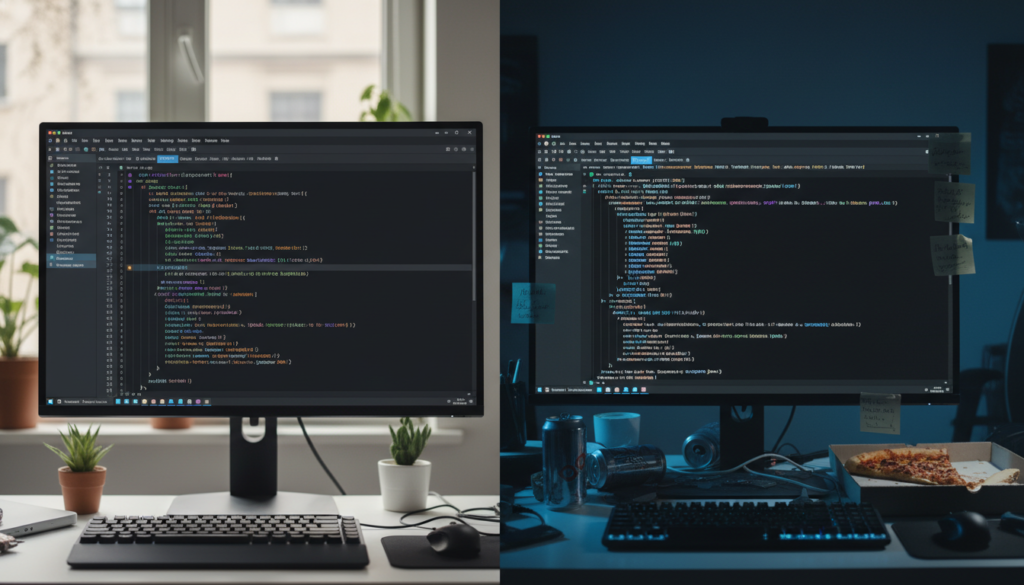
Step 3: Set Up Your Battle Station
You don’t need a $4,000 MacBook Pro to learn code. I started on a beige box that wheezed when I turned it on. However, you *do* need the right software. Do not write code in Microsoft Word or Notepad. Just don’t.
You need an IDE (Integrated Development Environment) or a Code Editor. It’s basically a text editor on steroids that highlights your errors and helps you autocomplete text.
- Visual Studio Code (VS Code): This is the industry standard. It’s free, lightweight, and has thousands of extensions. If you walk into a tech startup today, 90% of the devs are using this.
* *Download*: Visual Studio Code
- Cursor: This is the new kid on the block. It’s a fork of VS Code with AI built right into the editor. It’s incredible for learning because you can ask the AI, “Why is this code broken?” right inside the file.
* *Check it out*: Cursor
Setting up your environment can be tricky. We actually discuss specific hardware configurations and optimized setups for beginners extensively at https://beemytech.com/, so pop over there if your laptop feels like it’s struggling.
Step 4: Where to Learn (Without Paying a Tuition)
Here’s the kicker: You do not need a bootcamp. I’ve interviewed bootcamp grads who owe $15k and can’t write a loop. I’ve also interviewed self-taught kids who used free resources and are absolute wizards.
Save your money. Use these instead:
- freeCodeCamp: It’s literally in the name. They have a massive interactive curriculum. You read a bit, type code in the browser, and it checks it for you. It’s gold.
* *Start here*: freeCodeCamp
- The Odin Project: This is for the hardcore folks who want to be full-stack web developers. It doesn’t hold your hand. It forces you to set up your own environment and read documentation. It’s tough, but it works.
* *Start here*: The Odin Project
- CS50 by Harvard: David Malan is the best computer science professor on the planet. Harvard put his entire intro course online for free. It’s hard, but it teaches you *how computers think*.
* *Watch it*: CS50 on edX
Step 5: Escaping “Tutorial Hell”
This is the phase where most people quit. You watch a tutorial, you follow along, you feel like a genius. Then you open a blank file to make something yourself, and your mind goes blank.
We call this Tutorial Hell.
The only way out is to build something terrible. I mean it. Build a calculator that crashes if you divide by zero. Build a to-do list that forgets your tasks when you refresh the page.
Here is a project idea to get you started:
- A Weather App: Use a free API to fetch weather data and display it.
- A Personal Portfolio: A simple HTML/CSS page about you.
- A Discord Bot: Use Discord.js or Discord.py to make a bot that tells bad jokes in your server.

Step 6: Learn to Google (Seriously)
Senior developers don’t memorize everything. We memorize *how to find* everything. Half of my day is spent on Stack Overflow or reading documentation.
When you get an error message (and you will, lots of them), copy that red text and paste it into Google. You will find a forum post from 2013 where someone had the exact same problem. That person is your savior.
Also, get used to reading official documentation. If you are using React, go to React.dev. If you are using Vue, go to Vuejs.org. It’s dry reading, but it’s the source of truth.
Step 7: Version Control (The Time Machine)
Imagine you write a perfect piece of code. Then you try to add a new feature, and you break everything. You try to undo, but it’s too late. You’ve ruined it.
This is why we use Git.
Git is a version control system. It saves “snapshots” of your code. If you mess up, you can travel back in time to when the code worked. You store these snapshots on GitHub.
Start using this early. Employers look at your GitHub profile to see if you can actually code. If you need a breakdown on how to structure a professional portfolio on GitHub, we have some great tips on career-readiness at https://beemytech.com/.
Final Words: Embrace the Sucking
Here is the reality of coding: It is frustrating.
You will spend 4 hours debugging a script only to realize you spelled “function” as “funtcion.” You will feel like an impostor. You will want to throw your monitor out the window.
That is normal. Every single developer you admire has been there. The difference between a senior dev and a beginner isn’t intelligence; it’s tolerance for frustration.
Keep building. Keep breaking things. And when you finally fix that bug and the code runs perfectly? There is no better feeling in the world.
For more tech insights, gear reviews for your setup, and advanced tutorials as you progress, keep https://beemytech.com/ bookmarked. Good luck, and happy coding.


